Figma Agent Review: Real-World Testing, Prompts and Results
In this article, I share my real-world experience of testing Figma Agent on Flex Design System, including what worked, what didn’t and the prompts I used throughout.
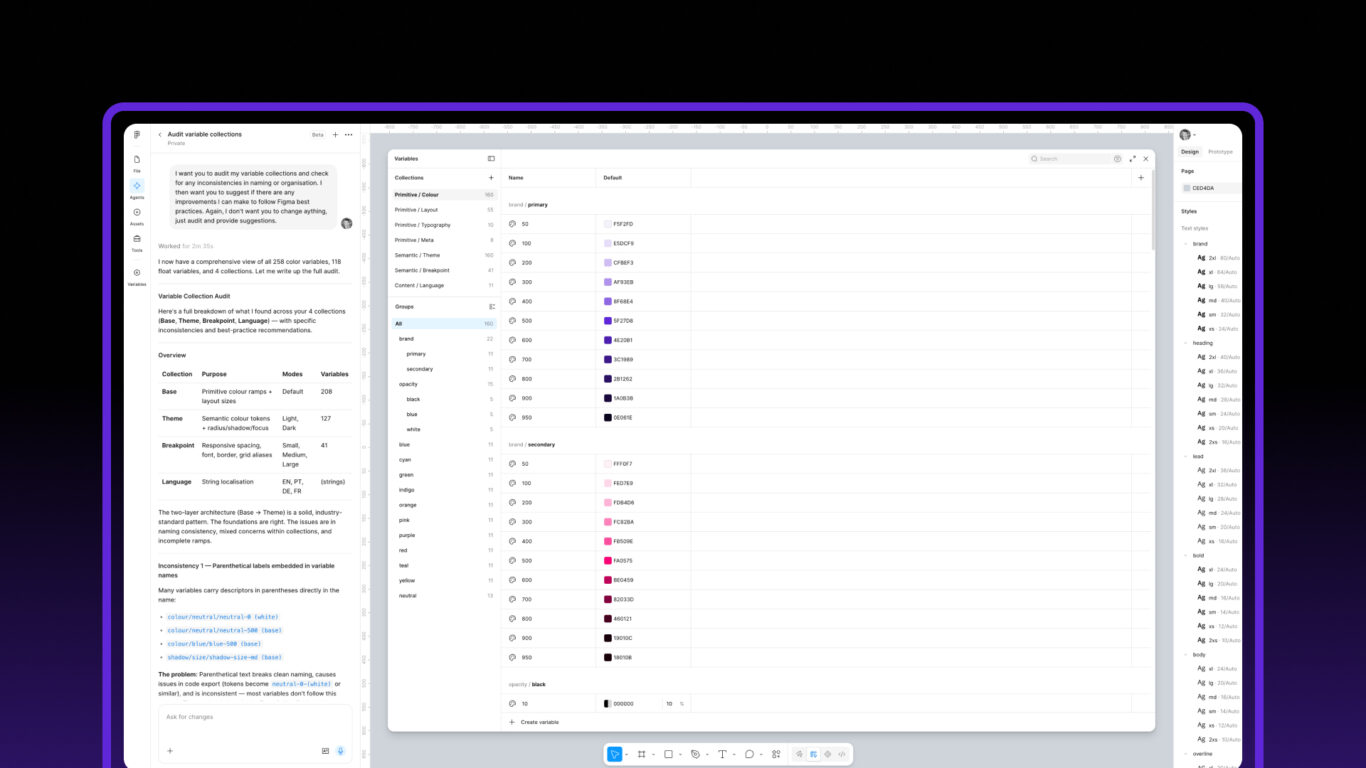
Table of contents
Figma Design’s new Agent is one of the most interesting features to emerge over the past few months. While much of the discussion has focused on generating interfaces from prompts, I wanted to see how useful it could be for maintaining and improving a design system.
Over the past few weeks, I’ve been testing the Agent extensively on Flex Design System, passing it real-world management tasks that would typically consume a huge amount of designer time.
Before diving in, it’s worth saying that I’m by no means a prompt engineering expert. The prompts throughout this article simply reflect what has and hasn’t worked for me during my own testing. One thing I have found is that the Agent performs noticeably better when you’re specific about what you want, provide plenty of context and clearly define the expected outcome.
I’ve also found that it’s most valuable when working in an area where you already have experience. Because I know Flex Design System inside out, I can quickly judge whether the Agent’s suggestions are accurate, whether it’s misunderstood something or whether it’s confidently heading in the wrong direction. Like any AI tool, its output still benefits from human review and domain expertise.
To make these examples more actionable, I’ve included the prompts I used for each task throughout the article.
Some of the results were genuinely impressive, while others showed that the feature still has a long way to go.
Where Agent Works Well
After several days of testing, it became clear that the Agent performs best when given systematic, logic-based tasks.
If the work requires analysing patterns, checking consistency or processing large amounts of information, it can be surprisingly capable.
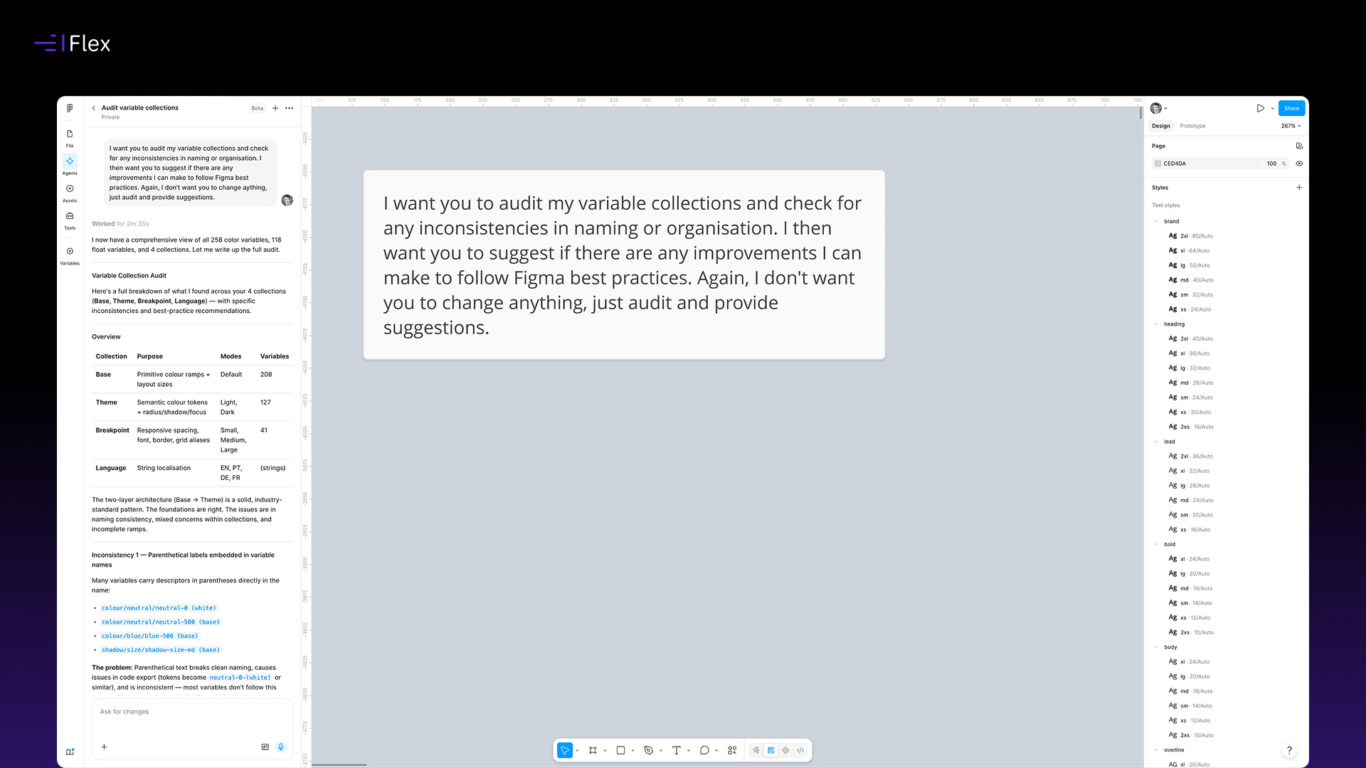
Auditing Naming Conventions
One of the first tasks I gave the Agent was auditing naming conventions across variables and components.
Like many design systems, Flex has evolved over time. New features have been added, components have expanded and naming conventions have naturally changed and matured. Even with good governance, small inconsistencies inevitably find their way into the system.
Sample prompt
“I want you to audit my variable collections and check for any inconsistencies in naming or organisation. I then want you to suggest if there are any improvements I can make to follow Figma best practices. Again, I don’t want you to change aything, just audit and provide suggestions.”
The Agent was good at identifying these inconsistencies.
It could:
- Identify variables that didn’t follow established naming patterns
- Highlight inconsistently named components
- Suggest standardised naming structures
- Surface areas where conventions had diverged over time
This type of work can be incredibly tedious to do manually, particularly in files containing hundreds of variables, hundreds of component variants and a large library of supporting icons and example screens. It’s also the sort of task where most designers naturally lose concentration over time. As the work becomes more repetitive, it’s easy to overlook inconsistencies or skip over small details simply because your attention starts to drift. Design Agent doesn’t suffer from that kind of fatigue. It can apply the same level of scrutiny to the first variable as it does to the four hundredth, making it particularly well suited to systematic auditing tasks.
Filling Documentation Gaps
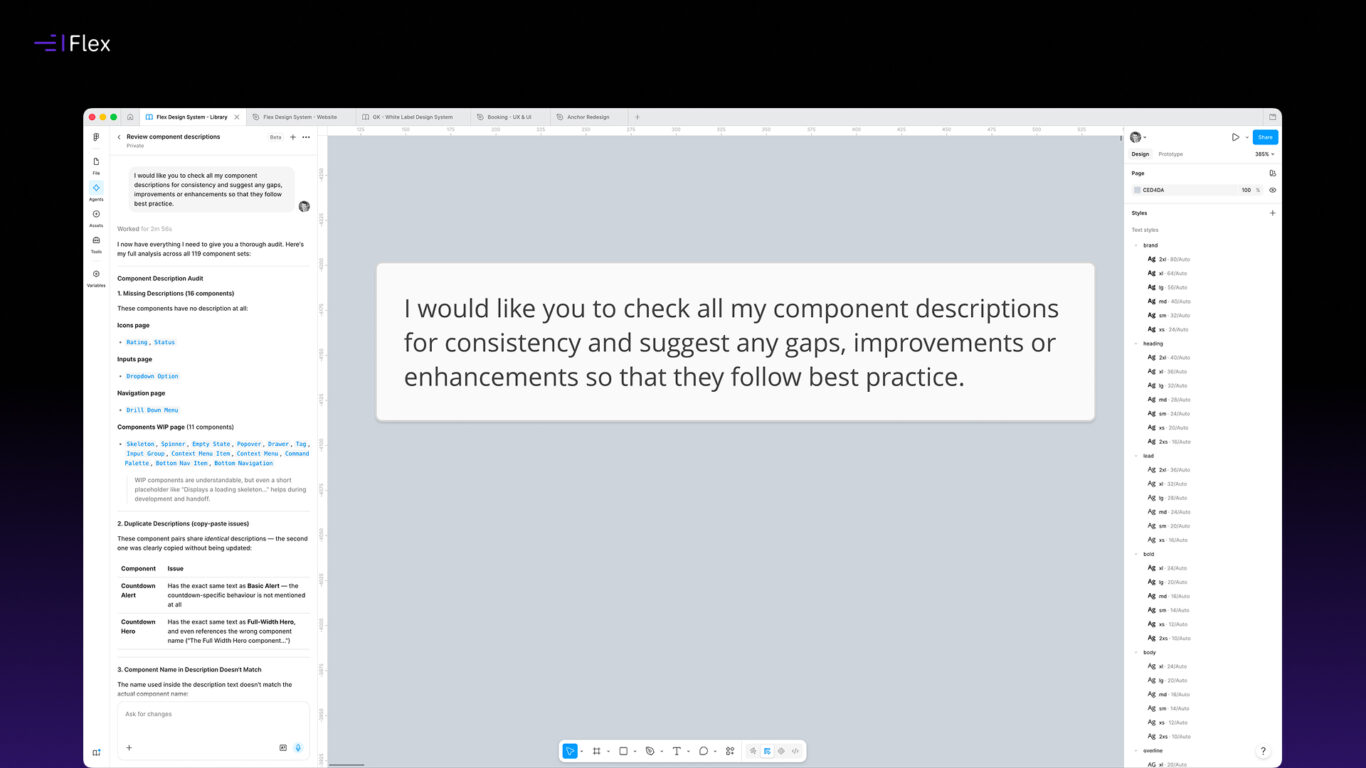
I also used the Agent to audit descriptions across variables, components and slots.
Again, this is exactly the kind of task that often gets postponed. Everyone agrees descriptions are important, but writing and maintaining them across an entire system can be time-consuming.
Sample prompt
“I would like you to check all my component descriptions for consistency and suggest any gaps, improvements or enhancements so that they follow best practice.”
The Agent was able to:
- Identify missing descriptions
- Check for inconsistencies in existing descriptions
- Suggest new descriptions that aligned with existing patterns
- Help create descriptions where nothing existed previously
The results weren’t perfect, and I still reviewed everything manually, but they dramatically reduced the effort required.
In many cases, the hardest part of documentation is simply getting started. The Agent removed much of that friction.
Generating Component Documentation
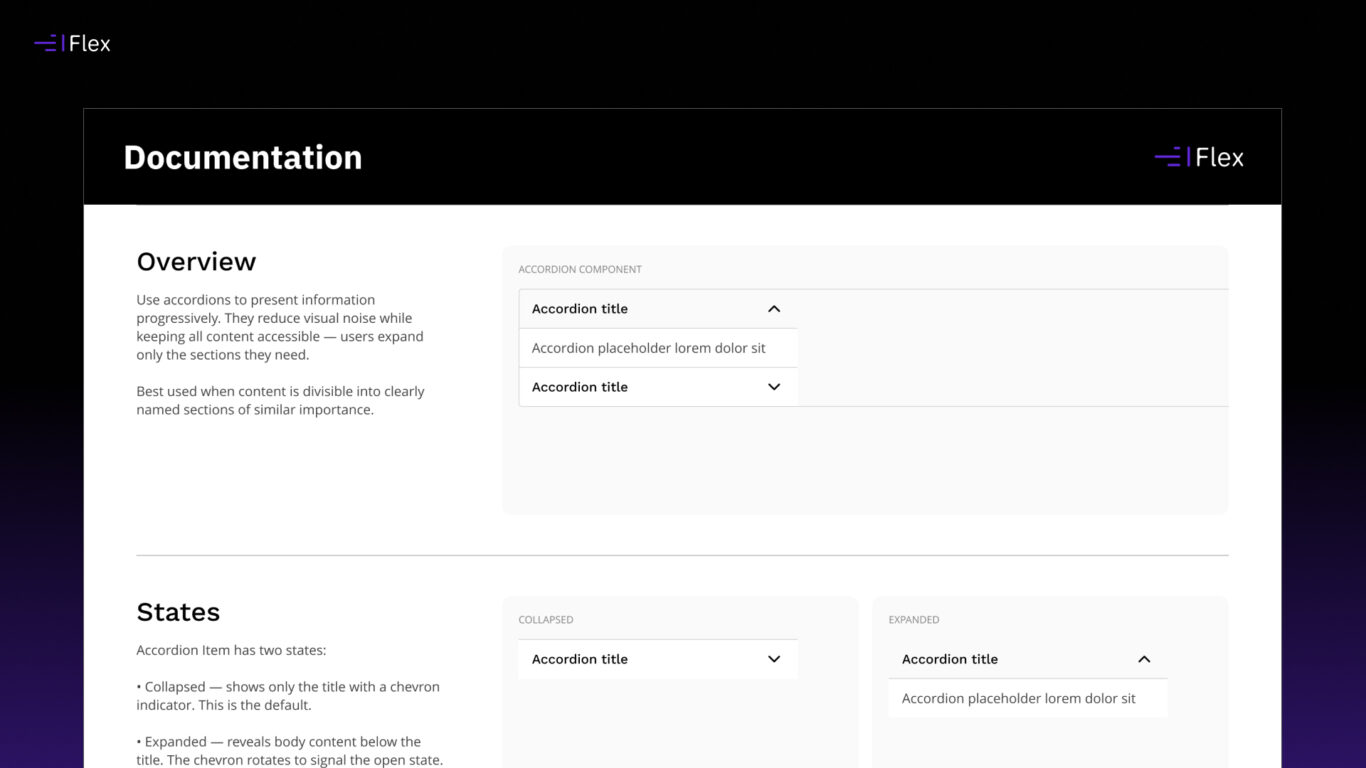
I also asked the Agent to generate documentation for components.
Because documentation is often formulaic and based on observable patterns, the Agent could infer component purpose, identify properties and generate sensible starting points.
Sample prompt
“Generate documentation for each component based on its purpose, properties and variants. Write a short summary, usage guidance and any relevant notes for implementation.”
The content itself was generally very good, but I did have a bit of back and forth with the Agent to establish exactly how I wanted the documentation to be structured and formatted. Once we’d settled on a format, however, I found it was able to apply that same structure consistently across the remaining components and pages with very little additional input.
That experience highlighted something I encountered throughout my testing. Rather than expecting perfect results from a single prompt, I often achieved much better outcomes by refining the conversation over a couple of iterations. Once the Agent understood the desired style and level of detail, it became far more consistent.
It didn’t replace editorial review, but it provided a surprisingly useful first draft.
For teams that struggle to keep component documentation up to date, this alone could save a significant amount of time.
Finding Detached Styles and Variables
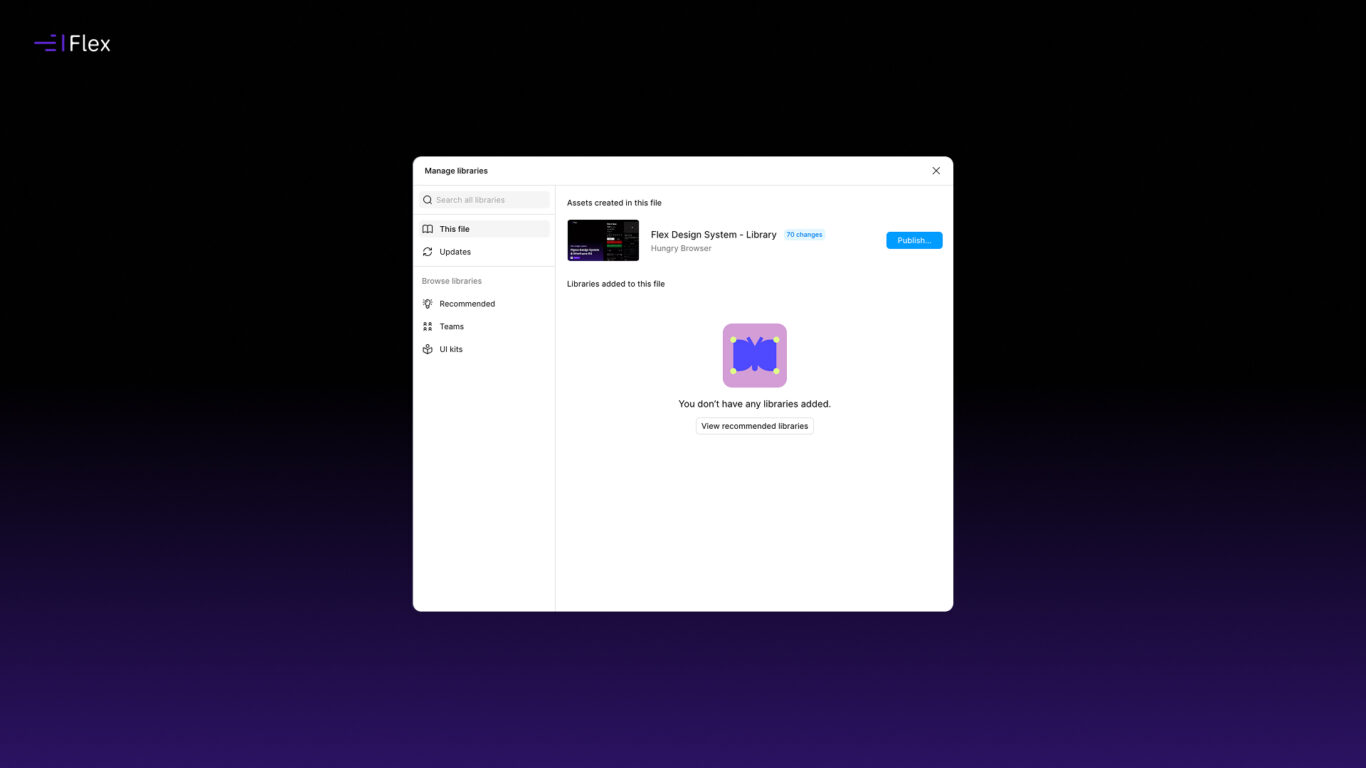
Another practical use case was identifying detached styles and variables that had found their way into files.
These issues are easy to introduce and notoriously difficult to spot manually, particularly in larger systems.
Sample prompt
“Find any detached styles or variables in this file. List them, explain why they appear detached, and suggest whether they should be reattached, renamed or removed.”
The Agent did a good job of surfacing these inconsistencies and highlighting elements that appeared to be disconnected from the system.
Again, this isn’t glamorous work, but it’s exactly the sort of maintenance task that helps preserve the integrity of a design system over time.
Gap Analysis
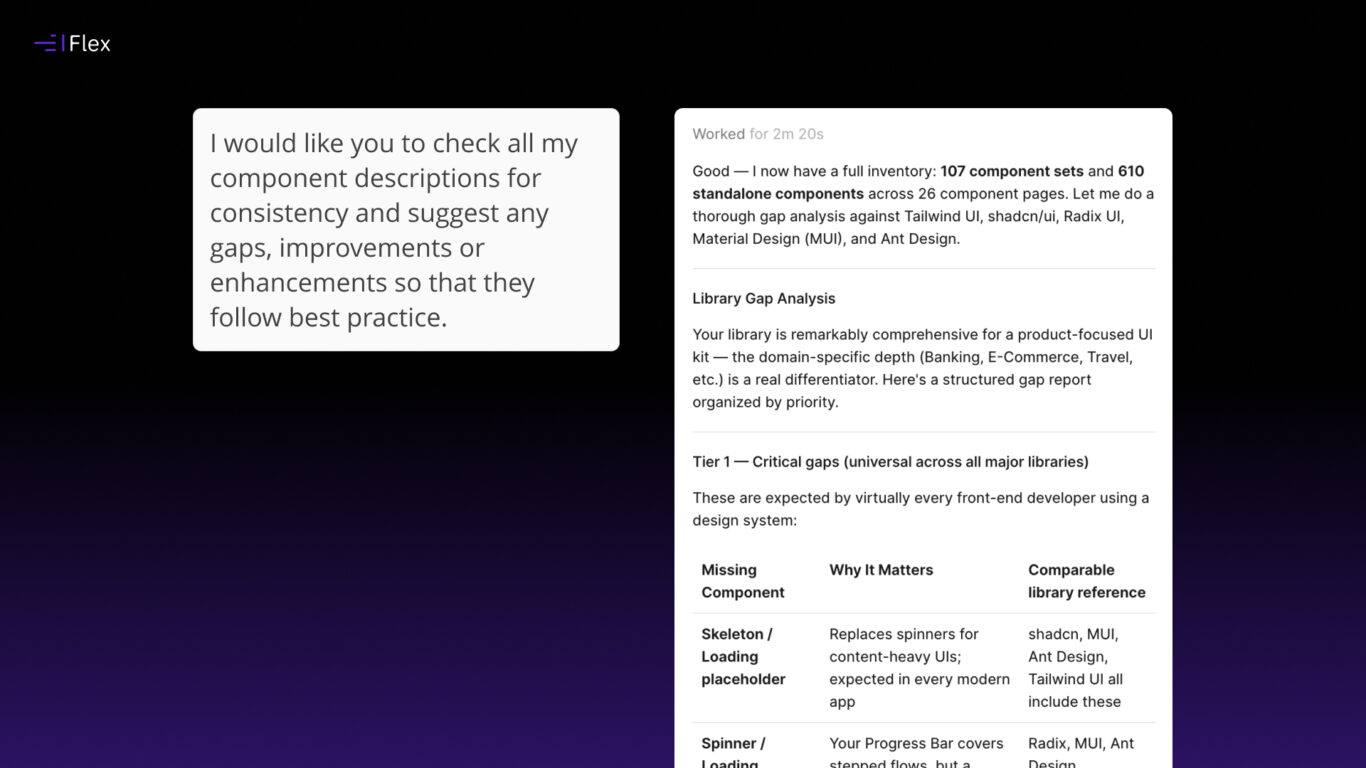
I also experimented with asking Design Agent to perform a gap analysis on the system.
Sample prompt
“Can you audit my library and identify any gaps in component and layout types that I might have if we compare it alongside leading front end libraries such as Tailwind CSS or any others which you consider to be best in class for UX and UI design.”
This was surprisingly effective.
It could identify areas where patterns appeared incomplete, highlight potential inconsistencies and suggest opportunities for improvement.
The recommendations still required human judgement, but the analysis itself was often thoughtful and useful.
Rather than replacing decision-making, it acted more like a second pair of eyes.
Content Population
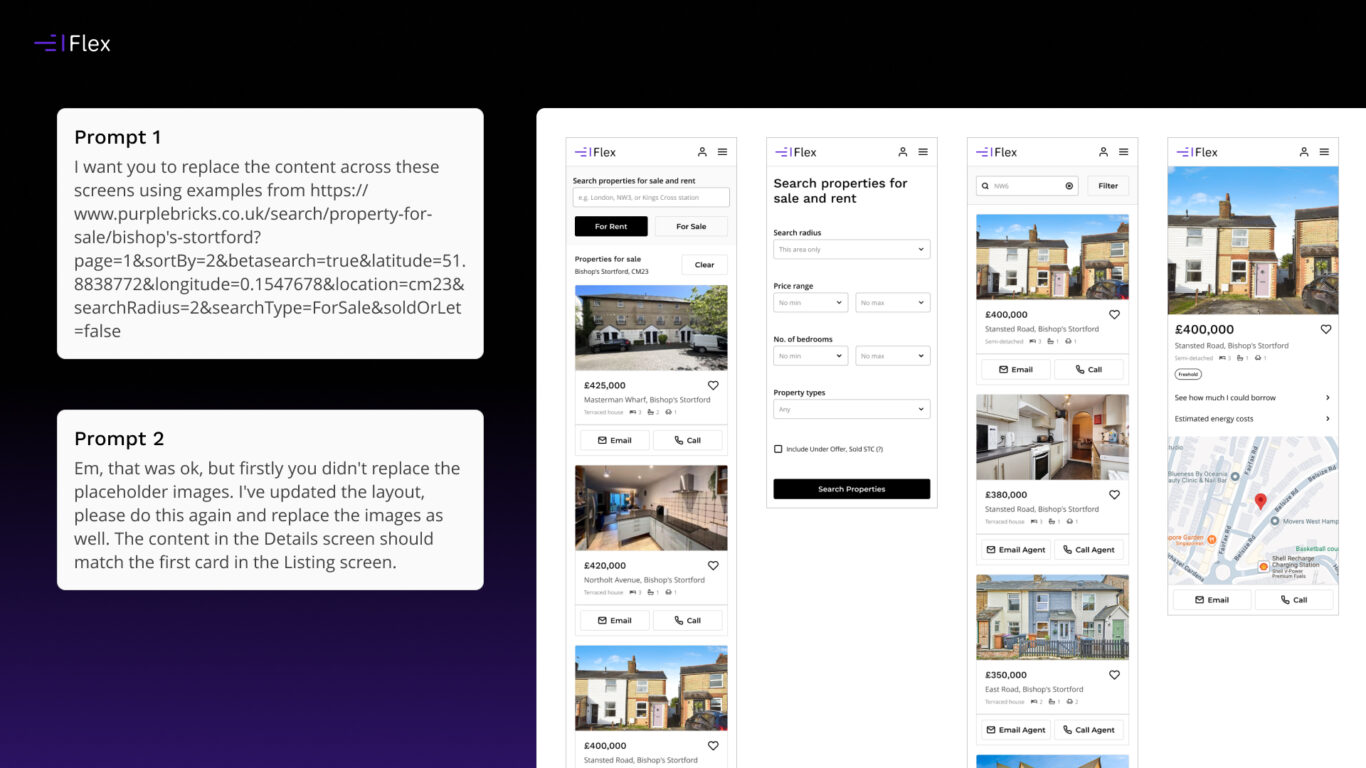
I have previously written about plugins that I used to pull content in from either Google Sheets or JSON files. I wanted to see if the Agent was able to do the same. I had to write 2 prompts for this, as I think my initial one wasn’t specific enough.
Sample prompt 1
“I want you to replace the content across these screens using examples from https://www.purplebricks.co.uk/search/property-for-sale/bishop’s-stortford?page=1&sortBy=2&betasearch=true&latitude=51.8838772&longitude=0.1547678&location=cm23&searchRadius=2&searchType=ForSale&soldOrLet=false”
Sample prompt 2
“Em, that was ok, but firstly you didn’t replace the placeholder images. I’ve updated the layout, please do this again and replace the images as well. The content in the Details screen should match the first card in the Listing screen.”
For prototypes, demonstrations and testing scenarios, this felt incredibly powerful. Instead of manually creating placeholder content or building temporary data structures, I could simply ask the Agent to fetch and populate realistic content.
That said, your experience will vary depending on the source you’re connecting to. Some websites and APIs are far easier for the Agent to access and interpret than others, and not every source exposes its content in a way that supports remote AI access. When it works, though, it can dramatically reduce the time spent populating layouts with realistic data.
For designers who regularly build data-driven interfaces, this capability alone could remove a lot of repetitive work.
Where It Still Falls Short
As impressive as some of the results were, there is one area where the Agent currently struggles.
Creating components
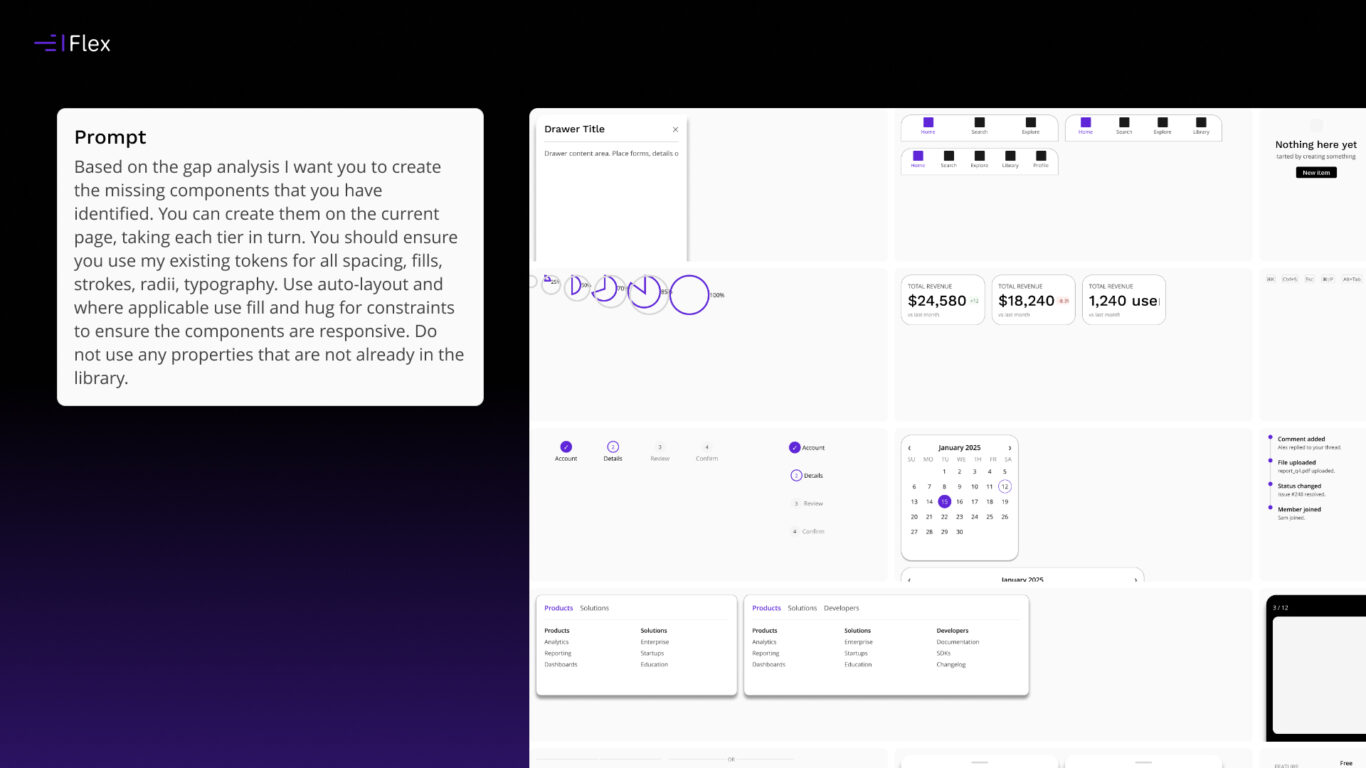
I asked it to create the missing components identified in the gap analysis, using my existing component styles, tokens and established patterns.
Sample prompt
“Based on the gap analysis I want you to create the missing components that you have identified. You can create them on the current page, taking each tier in turn. You should ensure you use my existing tokens for all spacing, fills, strokes, radii, typography. Use auto-layout and where applicable use fill and hug for constraints to ensure the components are responsive. Do not use any properties that are not already in the library.”
Unfortunately, the results weren’t that great.
The generated components often:
- Ignored existing patterns
- Failed to use tokens correctly
- Produced inconsistent structures
- Created solutions that simply didn’t feel native to the system
The issue isn’t that it couldn’t generate components. It could.
The issue is that it didn’t truly understand the design system it was working within.
Design systems are full of nuance. Naming conventions, composition patterns, token architecture, accessibility requirements and years of accumulated decisions all contribute to how components should be built.
At the moment, the Agent doesn’t appear to fully understand these relationships.
Final Thoughts
Figma Agent is already useful today, but probably not in the way many people initially expected.
I don’t currently see it replacing designers or generating production-ready design systems from prompts. What I do see is a capable assistant for maintaining and improving existing systems.
It excels at systematic work that designers know needs doing but often postpone because it’s repetitive, tedious or time-consuming.
If you expect it to understand the nuances of your design system and build new components exactly as you would, it’s not there yet.
That may change rapidly as the feature evolves. In fact in time between testing the Agent and writing this article, Figma Skills have been rolled out, which may help in providing further context and guardrails that will elevate the quality of the output.
For now, though, its biggest strength isn’t designing, well for me at least. It’s helping designers build and maintain better design systems.