
Figma Slots in Design Systems
In this article we’ll explore how Figma Slots in design systems provide a more flexible way to manage repeatable content, simplifying navigation, lists and grid layouts while reducing hidden layers, component complexity and the need to detach instances.
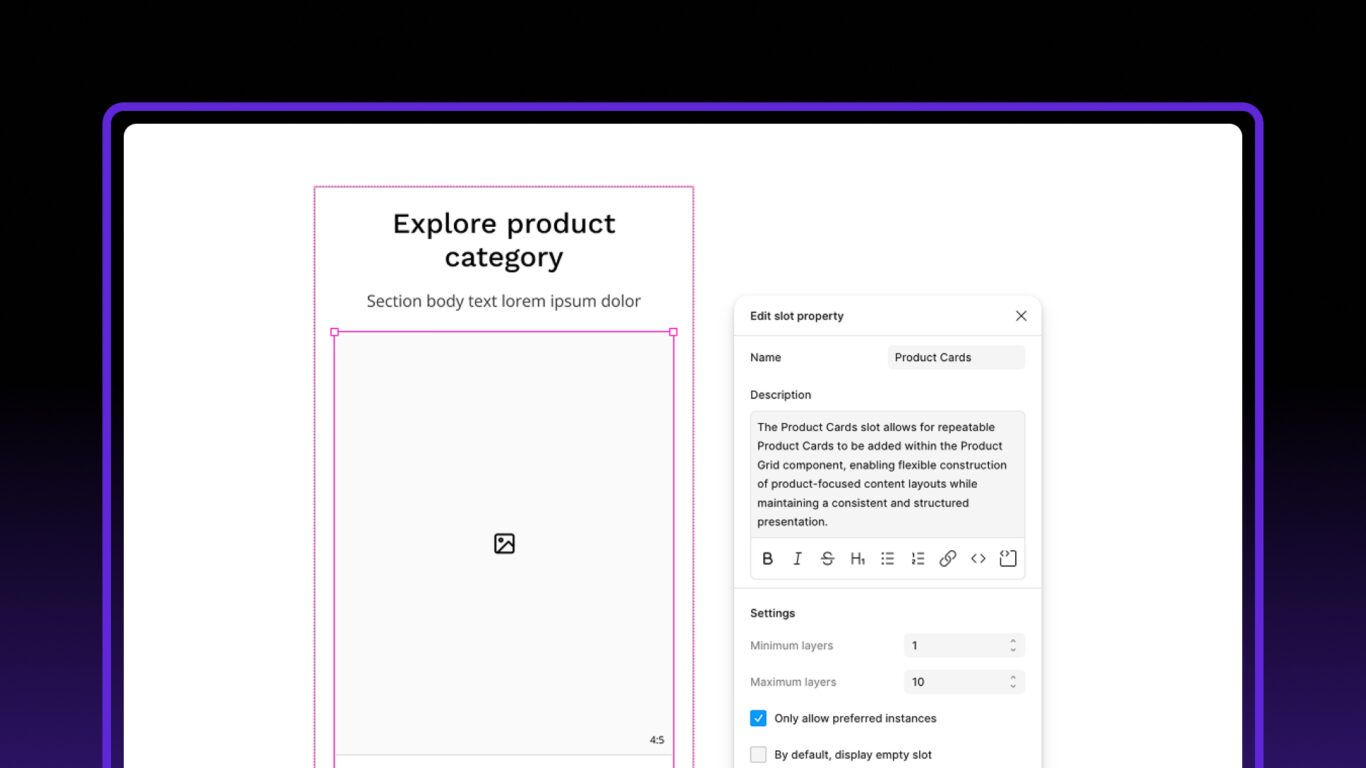
Table of contents
One of the ongoing challenges designers face when building design systems is accommodating variable length content.
Navigation menus might contain three links or ten. A dropdown menu could contain a handful of options or dozens. A grid layout might display four products on one page and twelve on another.
Historically, handling these scenarios in Figma has required a compromise. Components needed enough pre-built content to cover most use cases, which often resulted in additional layers, visibility controls and increasingly complicated component structures.
The introduction of Slots provides a cleaner alternative.
They don’t replace variants, component properties or Auto Layout, but they do solve a problem that many design systems have been working around for years.
The Traditional Approach
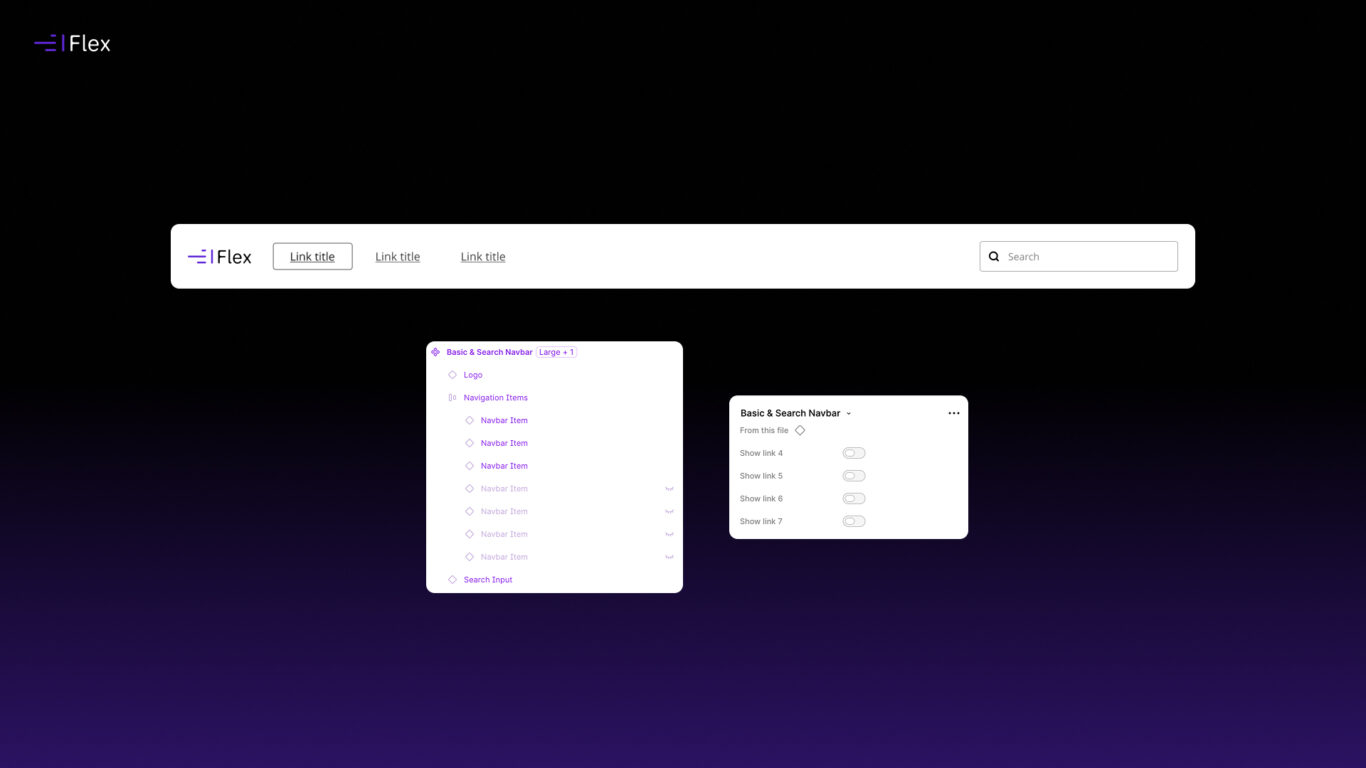
Before Slots, the common solution was to build components with a fixed number of child elements.
For example, a navigation menu might contain:
- Link 1
- Link 2
- Link 3
- Link 4
- Link 5
- Link 6
If a design only required four links, the remaining two would simply be hidden.
The same pattern appears throughout most design systems:
- Navigation menus
- Dropdown menus
- Lists
- Accordions
- Feature groups
- Product listings
- Card grids
- Search results
It works, and in many cases it’s still a perfectly reasonable solution.
The challenge is that components gradually become more complicated as they try to account for every possible content scenario. They often end up containing more elements and configuration options than are typically needed.
The Maintenance Challenge
There’s nothing inherently wrong with boolean properties or hidden layers. They’re still useful for genuine show and hide behaviour.
The difficulty arises when they’re primarily being used to manage content quantity.
To support unknown numbers of items, components often become packed with optional elements and configuration settings that exist solely to accommodate different amounts of content.
Over time, this can make components harder to maintain and less intuitive to use. Designers spend more time configuring components and less time focusing on the layout and content itself.
How Slots Change Things
Slots allow repeated content to be added when it’s needed rather than being built into the component from the start.
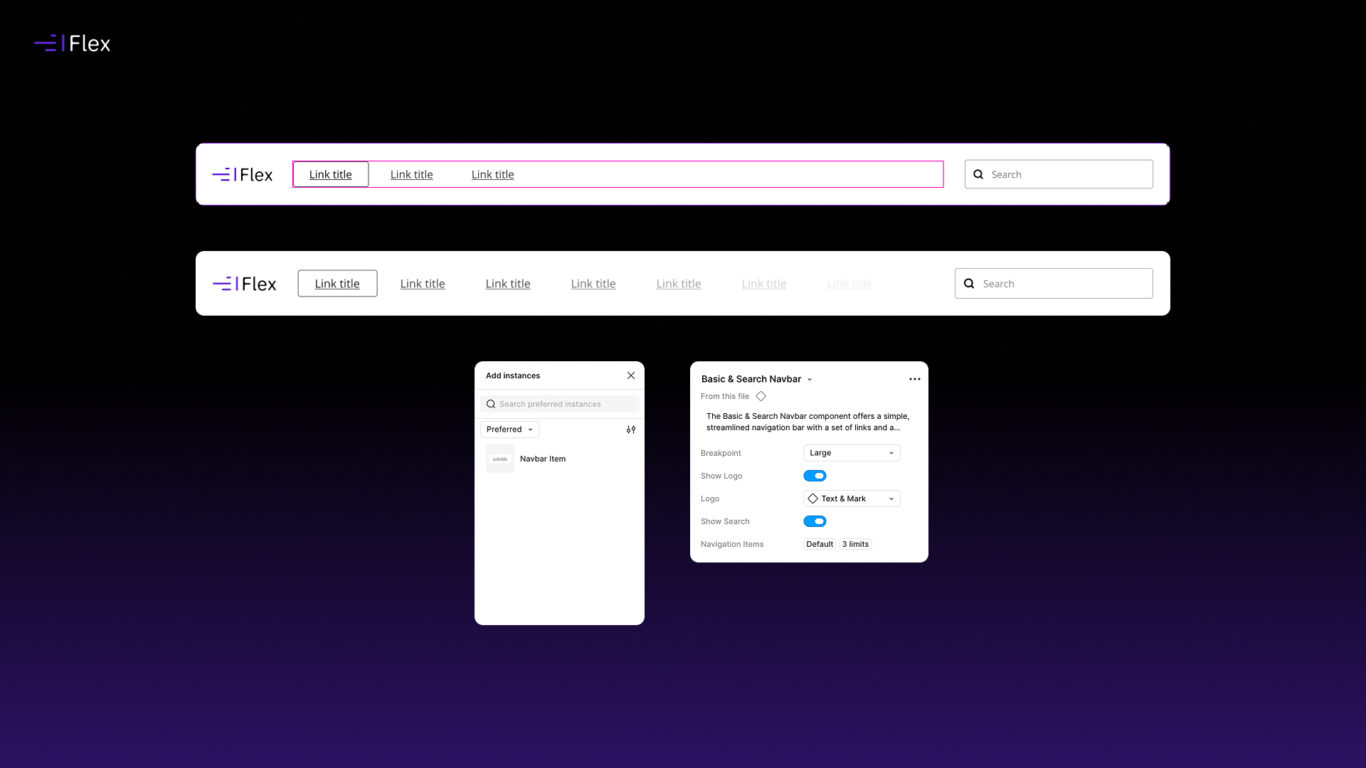
Instead of creating six navigation links and hiding the unused ones, a navigation component can expose a Slot that accepts navigation items. Designers simply add the number of links required.
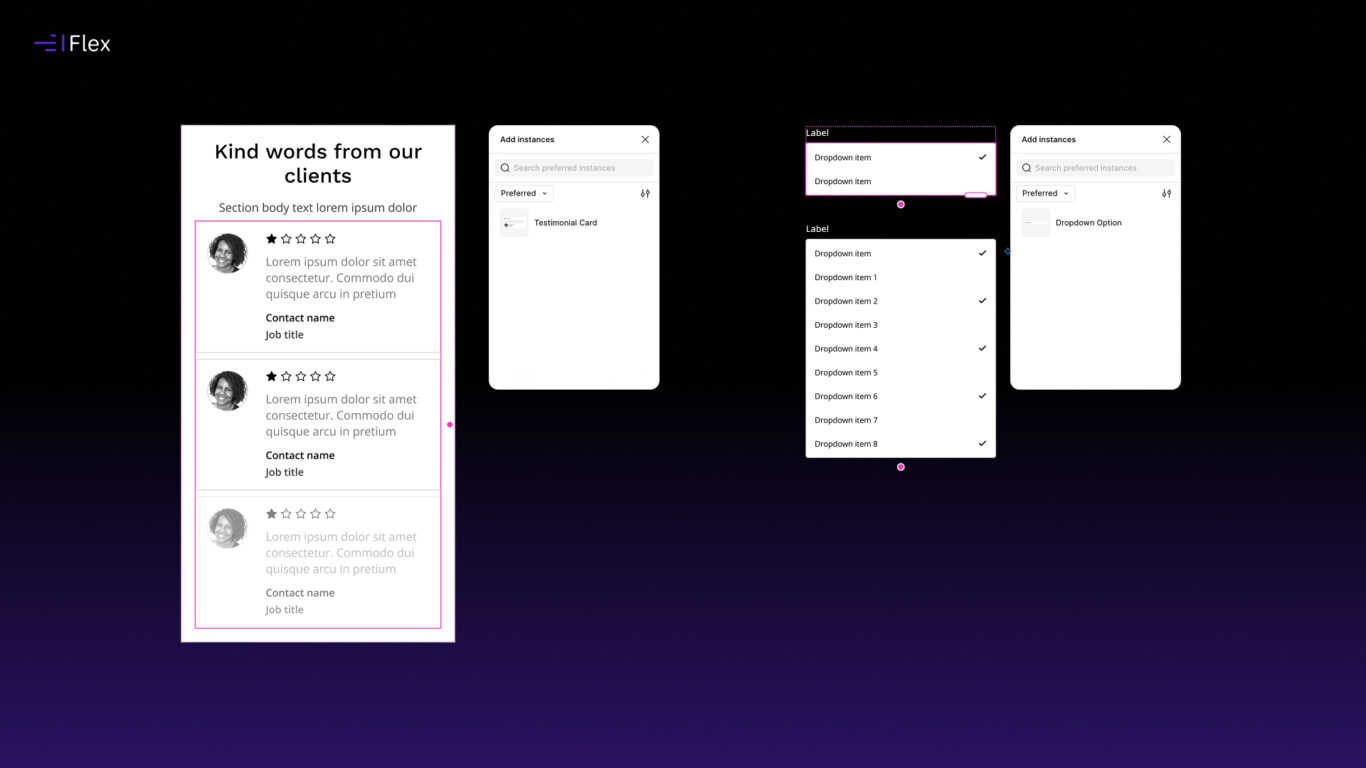
The same principle applies to any interface pattern that contains repeatable content, including navigation menus, dropdowns, lists, accordions, feature collections, search results and product grids.
Rather than designing for the maximum possible scenario, components can remain focused on structure and behaviour while content is added dynamically as required.
Designing for Real Content Variations
Beyond the technical benefits, Slots are particularly useful when creating design variations for stakeholders and clients.
In most projects, you’re rarely designing a single state of a page.
Search results might return:
- No results
- Three results
- Twelve results
- Twenty results across multiple pages
A product listing might contain four items in one scenario and sixteen in another.
A navigation structure might expand as content is added to a website over time.
From experience, clients want to see these situations represented. They want confidence that a design works when content changes, data grows or different states need to be accommodated.
Traditionally, producing these variations often meant creating multiple versions of a component or detaching components altogether.
Slots make this much easier.
Designers can add or remove content as required while keeping the component intact. Different page states can be explored more quickly, and layouts remain consistent because they’re still built from the same underlying system components.
The result is a more efficient workflow and fewer workarounds when creating realistic design scenarios.
Benefits for Design System Authors
From a design system perspective, there are several practical advantages.
Simpler Components
Components can focus on layout and behaviour rather than containing every possible content permutation in advance.
Easier Maintenance
Structures become easier to understand because they contain fewer optional elements and less configuration purely for managing content quantity.
Better Scalability
Components can adapt to different requirements without needing additional variants or preconfigured child elements.
Benefits for Designers
The experience is also simpler for the people using the system.
Rather than configuring components to match a particular content scenario, designers can add exactly the content they need.
This feels closer to how interfaces are built in production, where lists, menus and search results are rarely restricted to a fixed number of items.
Designers can focus on exploring content and layout variations without constantly reworking component configuration behind the scenes.
Slots Are Still Evolving
Although Slots are already proving useful, it’s clear that Figma is continuing to develop the feature.
Recent additions such as preferred instances and the ability to define minimum and maximum item quantities have made Slots significantly more practical for design system authors. They provide more control over how components are used and help guide designers towards the most appropriate content patterns.
That said, there are still areas where I’d like to see the feature evolve further.
One limitation I’ve encountered is when working with component sets that contain variants. While it’s possible to define a preferred instance for a Slot, you can’t currently specify which variant of that instance should be used by default.
In practice, this means designers may still need to manually select the appropriate variant after adding content to a Slot. It’s a relatively small issue, but one that becomes more noticeable when working with larger design systems that make extensive use of component variants.
I’d like to see Figma provide more control in this area, allowing design system authors to define preferred variants as well as preferred instances.
Even in its current form, Slots solve a genuine problem and remove a fair amount of friction from repeatable content patterns. However, it feels like there’s still plenty of room for the feature to mature.
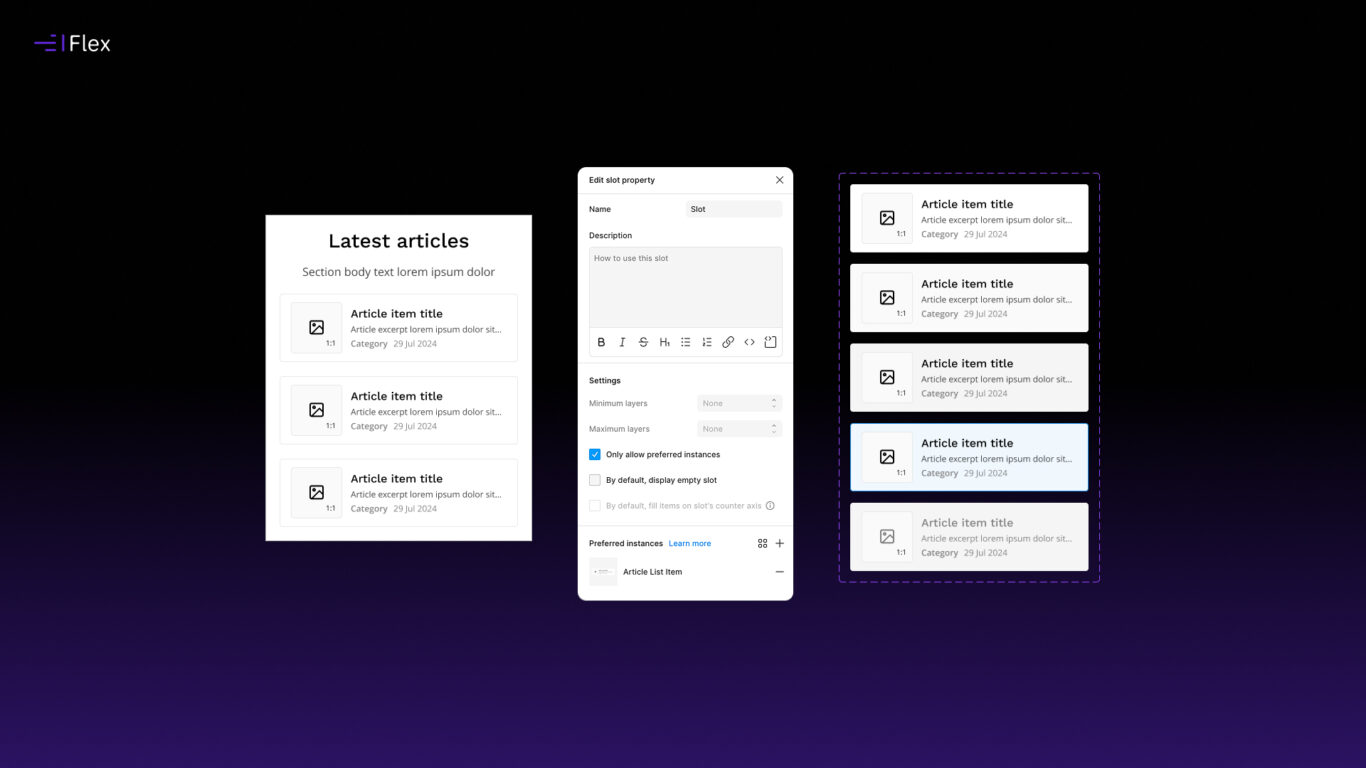
How Slots Are Being Used in Flex Design System
I’ve started introducing Slots across Flex Design System wherever content is naturally repeatable.
This includes navigation patterns, dropdown menus, lists, content grids and other layouts that have traditionally relied on predefined child elements.
The goal wasn’t simply to adopt a new Figma feature, but to make components easier to use and maintain.
In many cases, Slots have simplified components while making them more flexible, allowing designers to create layouts with exactly the number of items they need while keeping everything connected to the design system.
Slots Aren’t Replacing Variants
One misconception I’ve seen since the feature launched is that Slots will replace variants.
I don’t think that’s the case.
Variants and Slots solve different problems. Variants are still the best solution for handling states, styles and behavioural changes, while Slots are useful when the structure remains the same but the quantity of content changes.
Most mature design systems will continue to use both.
Final Thoughts
Slots aren’t a revolutionary addition to Figma, but they are a practical one.
They solve a genuine problem that many design systems encounter when working with repeatable content and layouts that need to accommodate changing quantities of information.
For Flex Design System, they’ve provided a cleaner way to manage navigation structures, lists, grids and other repeatable patterns while making those components easier to use.
Ultimately, the value of Slots is that they make it easier to explore realistic content scenarios without adding unnecessary complexity to components or breaking the structure of a design system.