
Slots
Discover how Figma slots work and how they’re implement in components in Flex Design System.
What is a slot?
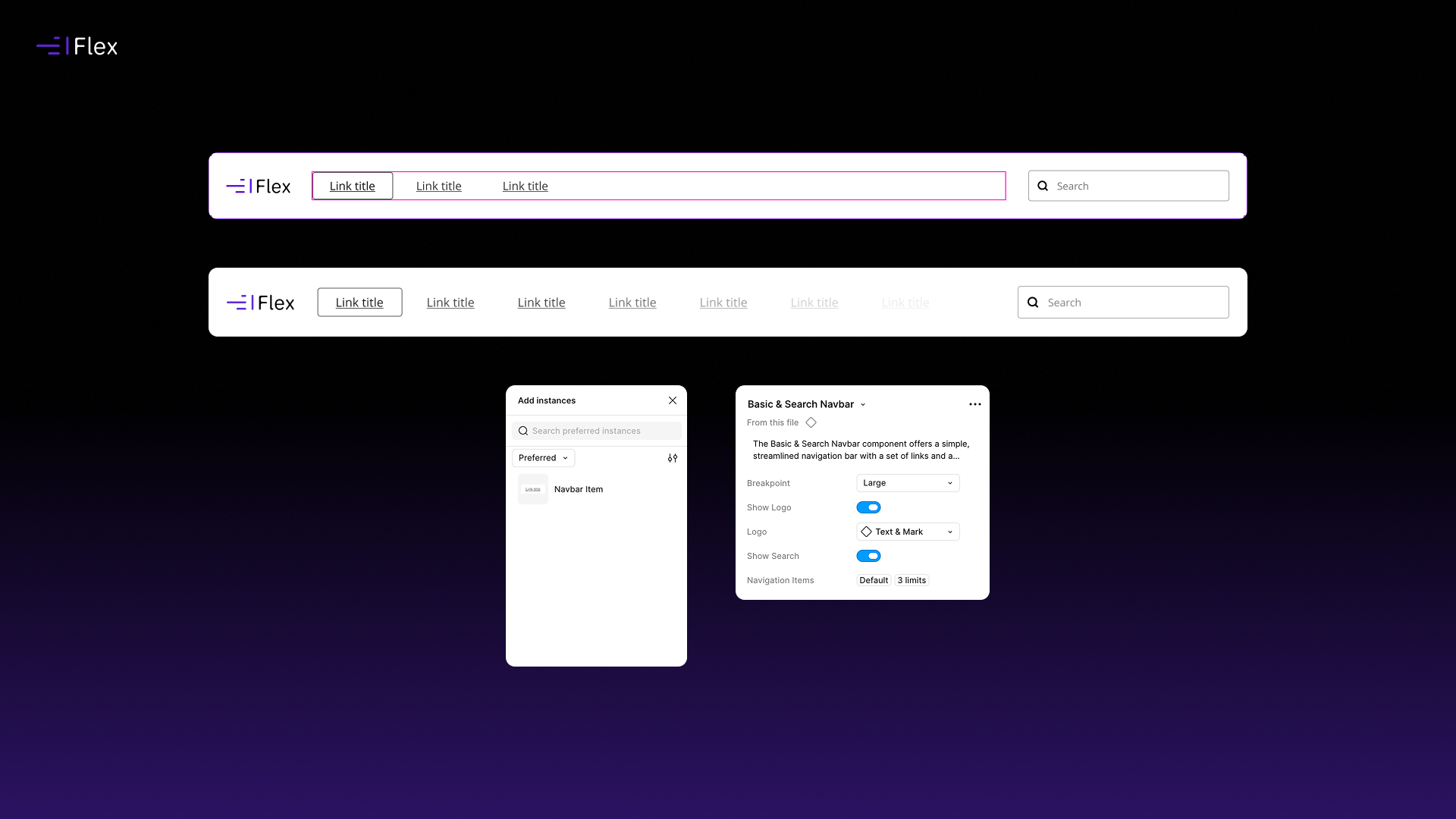
Slots allow components to be designed with intentional flexibility, enabling content to be inserted into predefined areas of a parent component while maintaining structure, consistency, and design integrity.
They are particularly useful when building components that need to accommodate variable content types or repeating elements, without requiring a new component for every variation.
How do slots work?
In Figma, slots are implemented as defined areas within a component where nested content can be inserted. Rather than hardcoding content into a component, slots act as placeholders that accept structured child components.
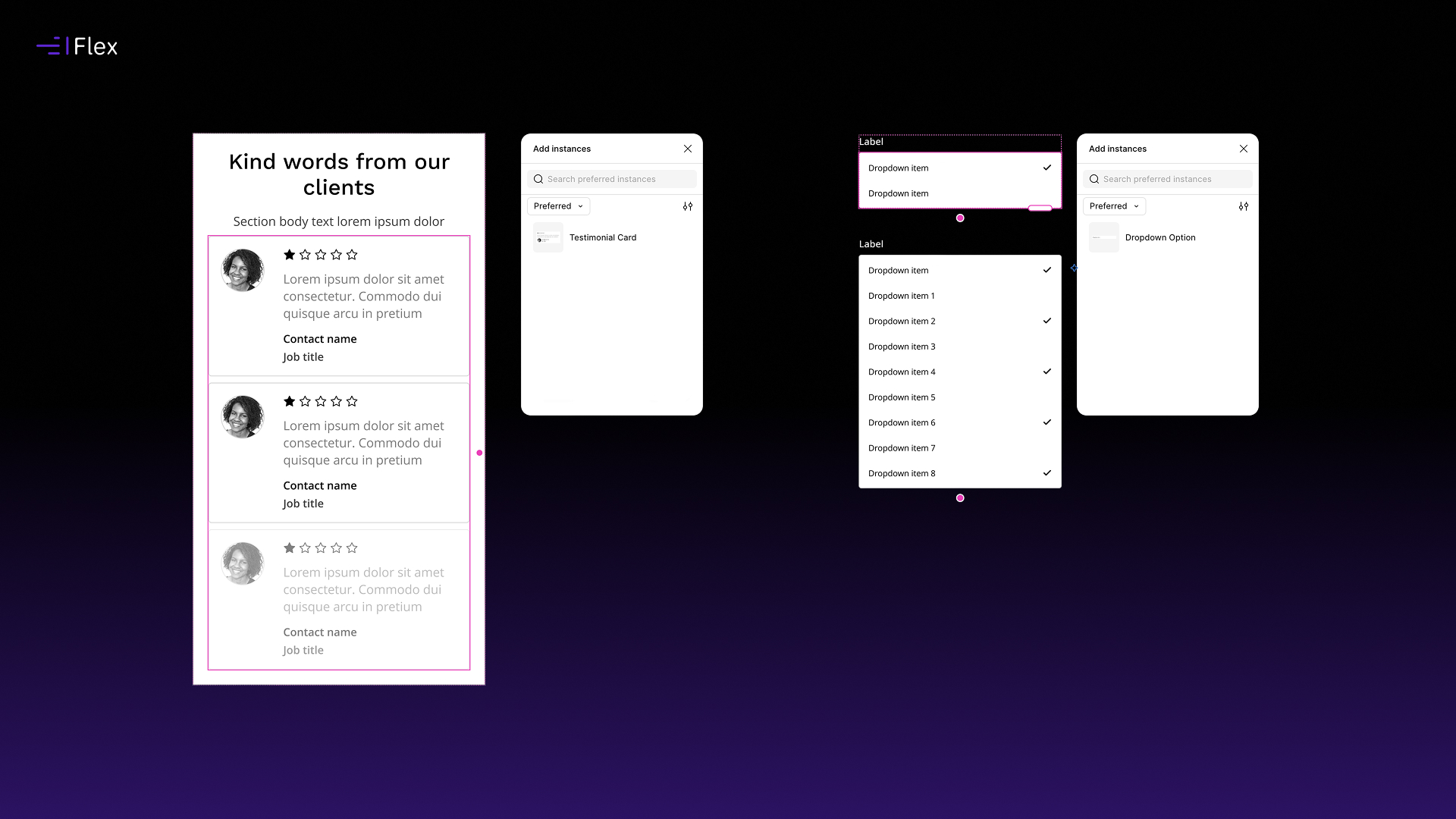
Within Flex, slots are used to support repeatable or optional content patterns, such as:
- Cards with dynamic actions
- Sections with flexible media or content blocks
- Layouts that require repeatable items (e.g. feature lists, testimonials, or stats)
This approach keeps components modular while still allowing for real-world content variation.
Preferred instances and constraints
At the time of writing, Figma allows you to customise several slot properties:
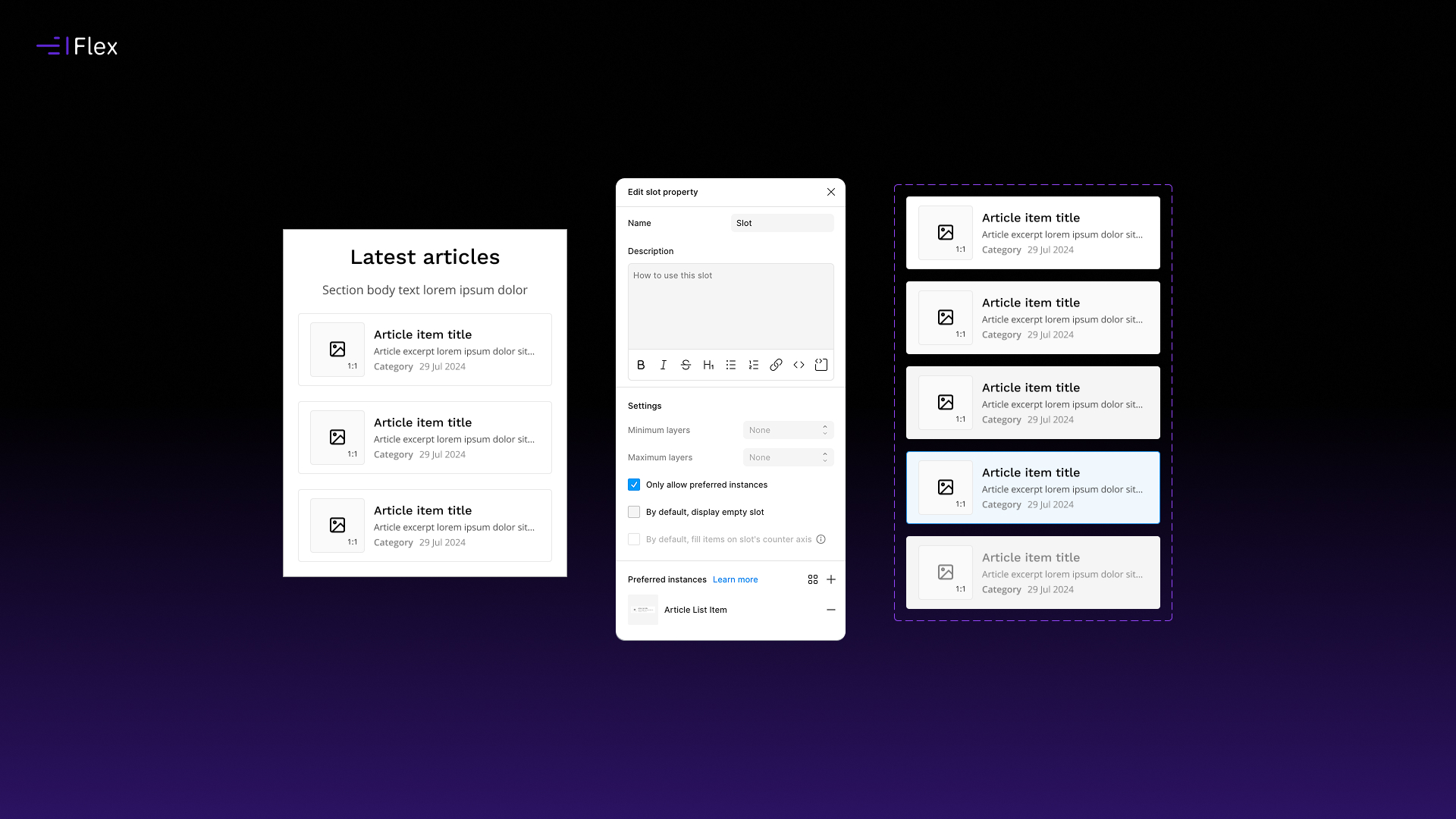
- Preferred instances: Define the default or recommended components that should populate a slot.
- Minimum items: Enforce the minimum number of required items within a slot.
- Maximum items: Limit how many items can be added to maintain layout integrity.
These constraints help ensure that flexibility does not compromise structure, especially in production-ready designs.
Important limitation: variant control
At present, slots do not support granular control over component variants within preferred instances.
This means that while you can define a preferred component, you cannot currently specify which variant of that component is automatically selected within the slot.
For example, if a button component includes multiple variants (primary, secondary, ghost), the slot will not enforce a specific variant selection.
This is an area where we expect future improvements as Figma continues to evolve its slots capability.
When to use slots
Use slots when:
- A component needs to support structured but variable content
- You want to maintain a consistent parent component while allowing flexible child composition
- You expect repetition of similar content blocks within a layout
- You want to avoid creating multiple near-duplicate components
Avoid using slots when:
- Content structure is fixed and unlikely to change
- A simpler component variant system would suffice
- Over-flexibility risks reducing clarity for designers implementing the system
Ongoing development
Slots are still an evolving feature within Figma. As the feature matures, we expect deeper control over nested variant behaviour and more advanced slot configuration options.