
AI Guidelines
Set up the guidelines files that help Figma’s AI agent design with Flex Design System.
What are guidelines?
Guidelines are Markdown files attached to a Figma library. Whenever someone asks the Figma agent to design with that library, Figma passes the guidelines to the agent in the background.
Flex already has descriptions on every variable, style and component. Guidelines cover what descriptions can’t, such as how modes work across a whole screen, which component to choose when several look similar, and the mistakes to avoid.
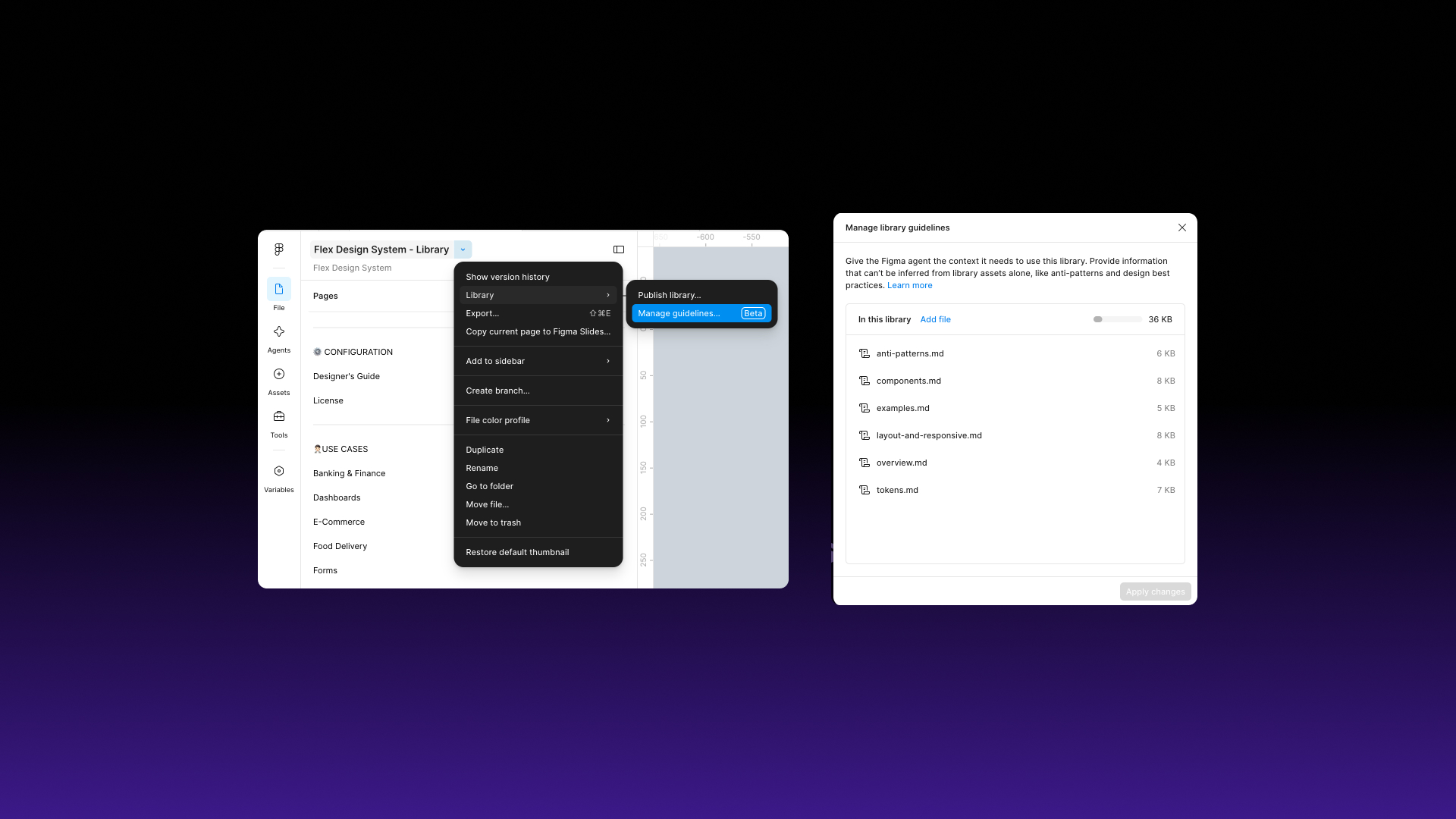
What's included
overview.md
How Flex is organised, the variable collections and how modes work
tokens.md
Colour, spacing, radius and typography variables, and when to use each
components.md
Which component to use for common jobs, grouped by category
layout-and-responsive.md
Screen frames, breakpoint modes, full-width sections and slots
anti-patterns.md
Common mistakes, what to do instead and why
examples.md
Step-by-step recipes for common tasks
How to add them
- Open your published Flex library file. You need edit access.
- Open the file menu and select Library > Manage guidelines…
- Click Upload, select the six files from the Guidelines folder in your download, then click Apply changes.
To update a file later, use Replace from the options menu next to it in the same dialog.
What to expect
Guidelines improve the agent’s output but don’t guarantee it. In our tests across three runs, the agent consistently used Flex variables and theme modes, and mostly chose the right components, such as the checkout navigation on a checkout screen. Layout was less consistent: it sometimes placed full-width sections inside padded containers or set a fixed width instead of using the screen variables. Check the result and correct anything that doesn’t match.
Good to know
- Guidelines need a Figma Professional, Organization or Enterprise plan.
- Prompts may use more AI credits with guidelines, because the agent reads them as extra context.
- Guidelines aren’t used by Figma Make kits.
- If you customise Flex, update the guidelines to match. Out-of-date guidelines point the agent at names that no longer exist.